
LoopReturns

Overview
The Loop Returns integration connects shipment and tracking data from Loop to ShipScience. Once connected, ShipScience can use this data to support automated claims, auditing, and refund recovery workflows.
The integration is currently available to approved customers and may need to be enabled by ShipScience before setup.
Before you begin:
To connect Loop Returns to ShipScience, you will need:
- An active Loop Returns account
- An active ShipScience account
- A Loop Returns API key with the required permissions
- Access to the Data Sources page in ShipScience
NOTE: Contact ShipScience if the Loop Returns integration is not visible in your account.
Step 1: Obtain your Loop Returns API key
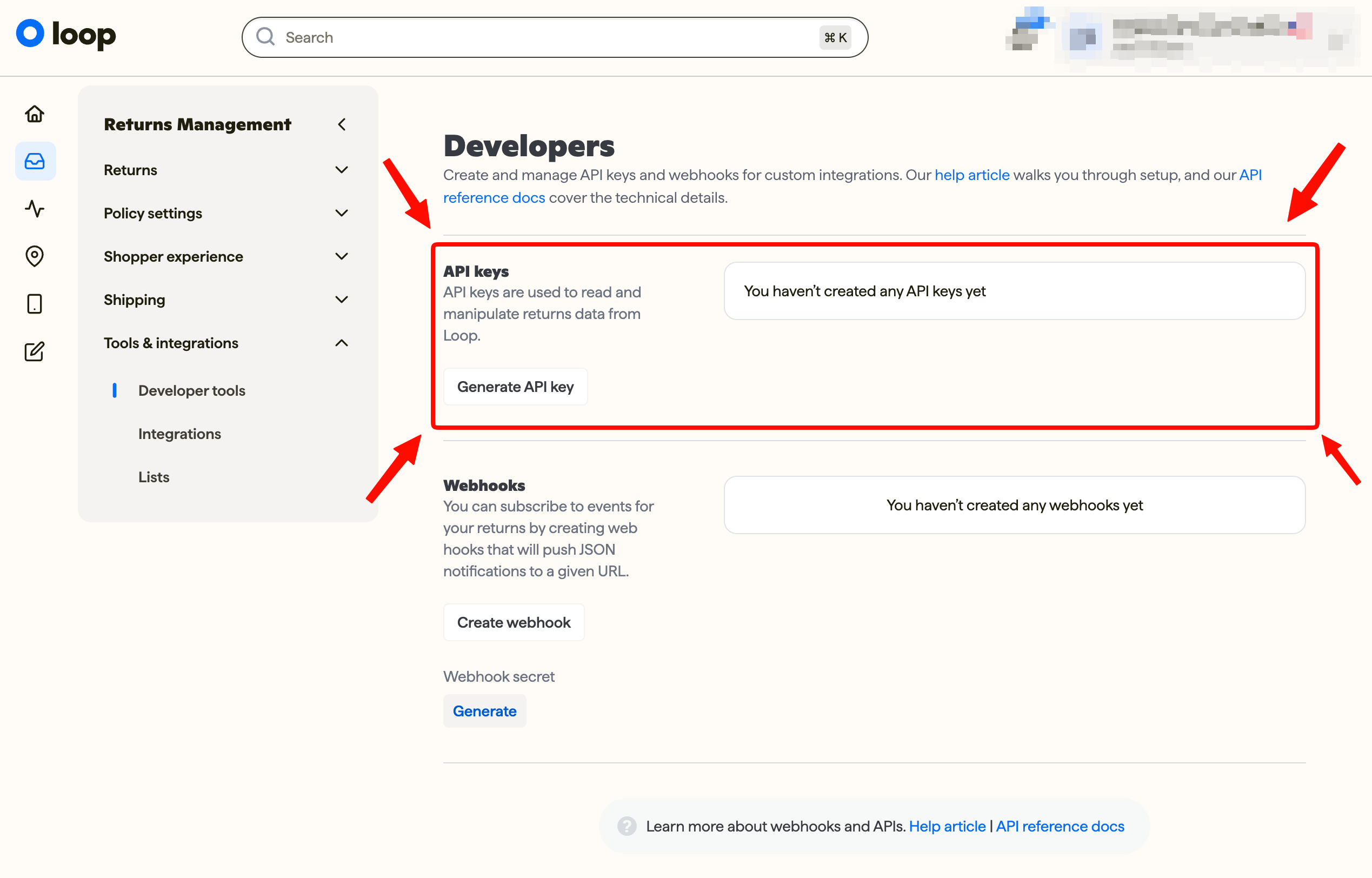
Follow the authorization process provided by Loop Returns to generate the API key for your LoopReturns account.
You can name the API Key whatever you like, we might recommend "ShipScience" or "Claims".
Make sure to select the following scopes:
- Developer Tools
- Return
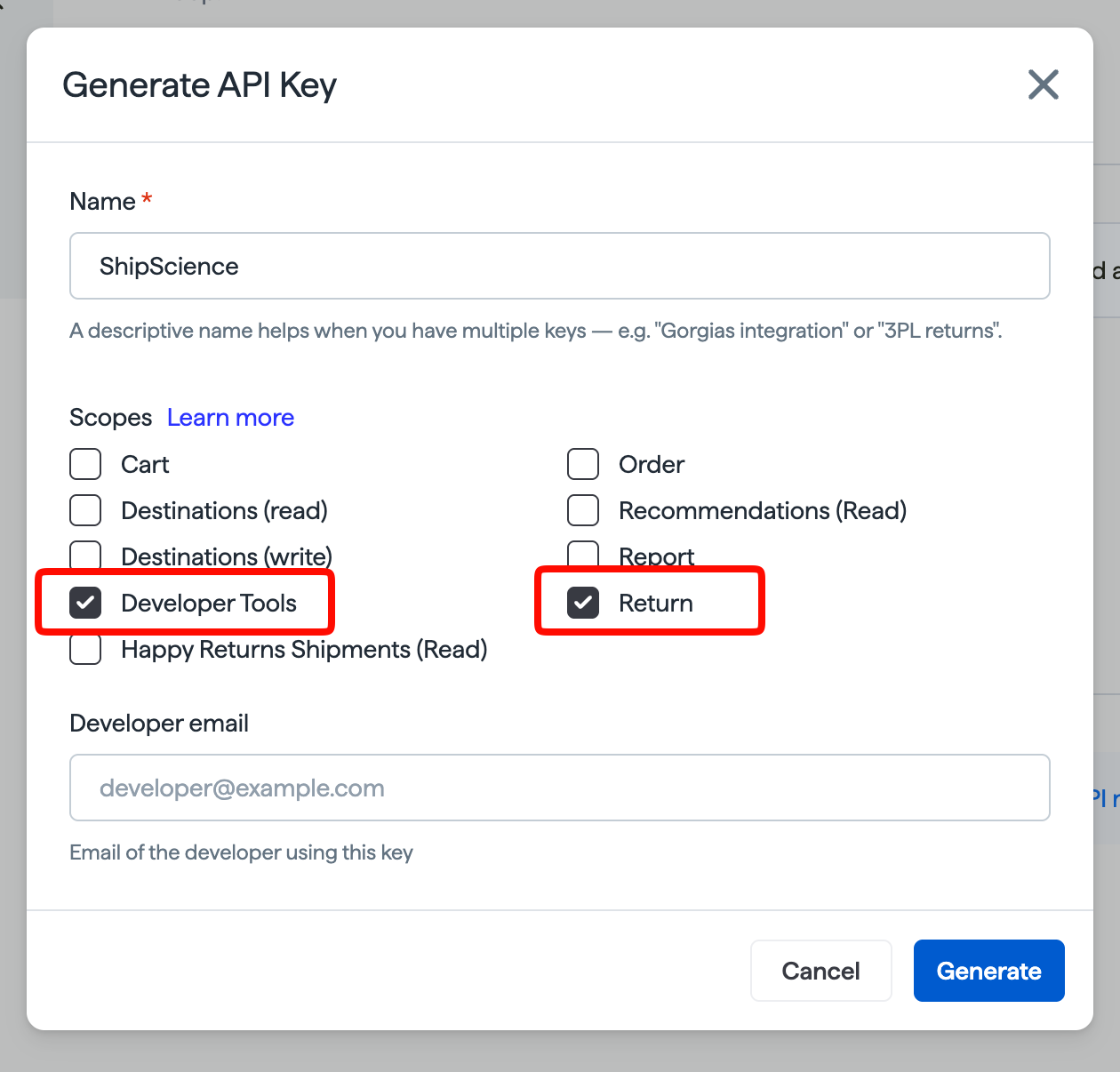
Enter a Developer email address and then click Generate.
NOTE: The API key must provide ShipScience with access to the shipment and tracking information required for the integration. Keep this credential secure. Do not send it by email or share it directly with ShipScience employees.
Step 2: Open the Loop Returns integration in ShipScience
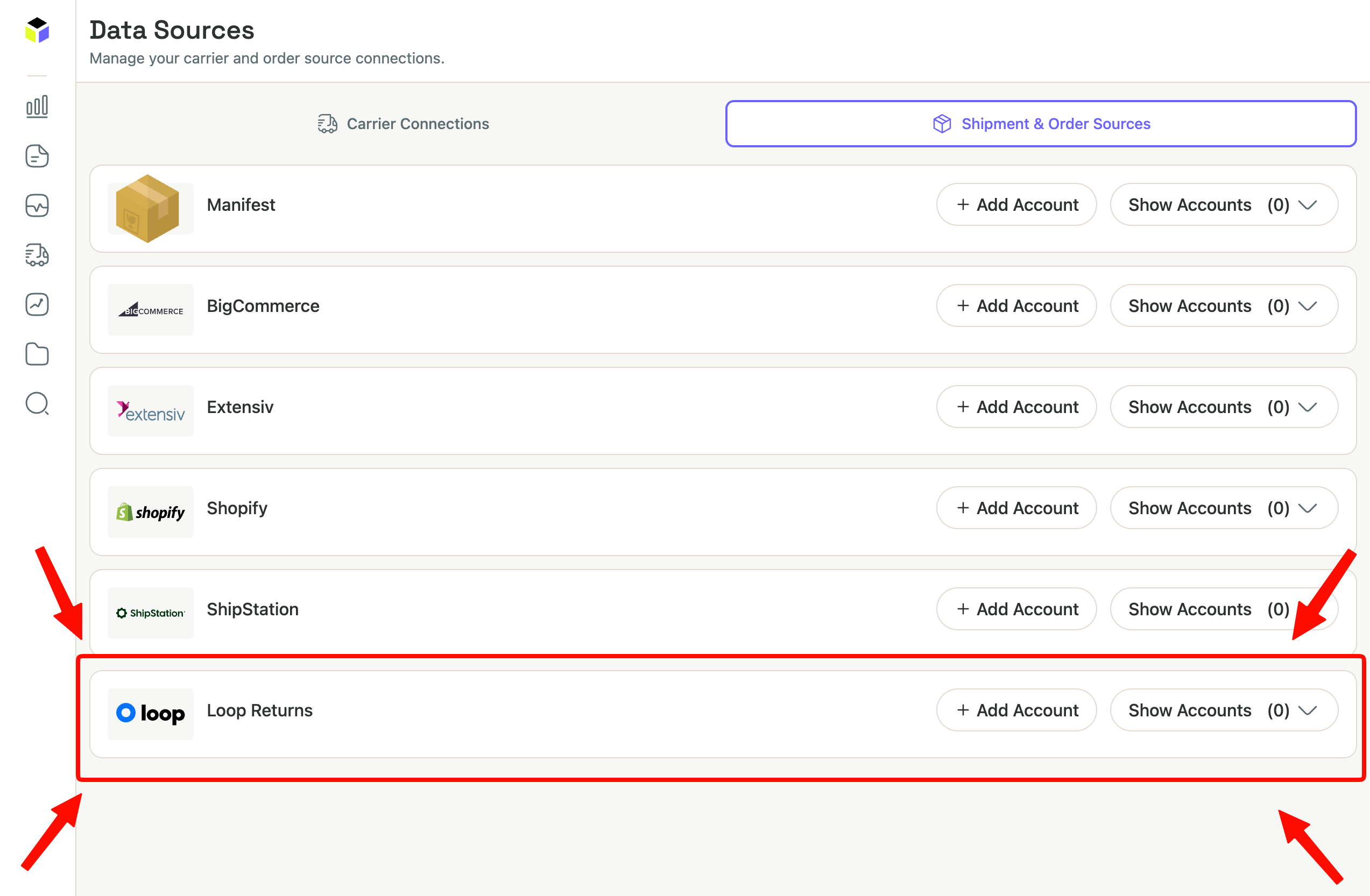
- Sign in to the ShipScience web application.
- Navigate to Data Sources.
- Click on second tab named "Shipment & Order Sources"
- Locate "Loop Returns".
- Click "+ Add Account".
Step 3: Add your Loop Returns credentials
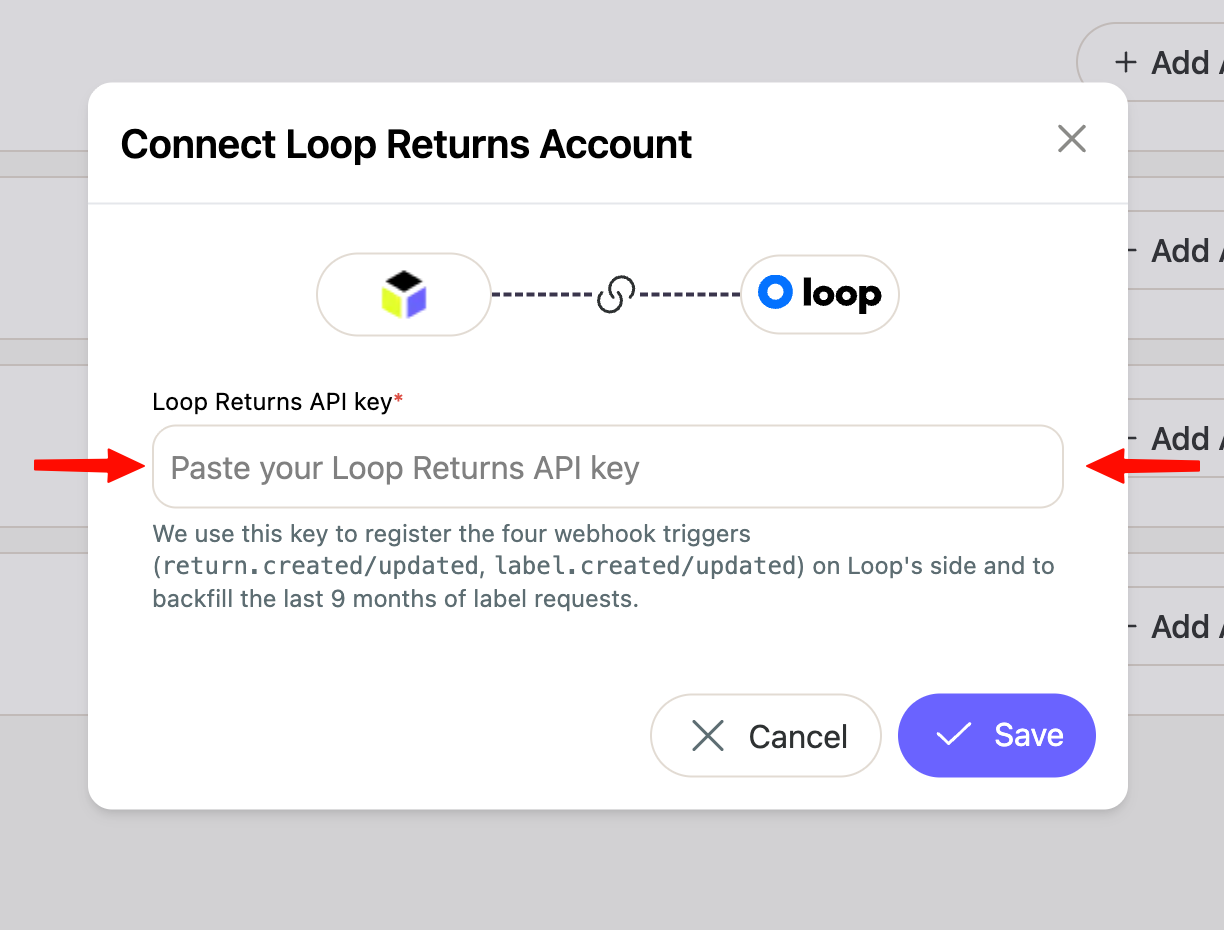
- Enter your Loop Returns API key in the provided field.
- Review the account and integration details.
- Click "Save".
ShipScience will then securely validate the API key and configure the connection between your Loop Returns and ShipScience accounts.
Step 4: Confirm the connection
After the credentials have been validated, the Loop Returns integration will appear as connected in ShipScience.
- Shipment and tracking data will begin flowing into ShipScience and can be used for supported claims and recovery workflows.
Initial data processing may take time depending on your shipment volume.
Troubleshooting
The Loop Returns integration is not available
The integration may still need to be enabled for your ShipScience account. Contact ShipScience for assistance.
The API key cannot be validated
Confirm that:
- The API key was copied correctly
- The API key is active
- The key belongs to the correct Loop Returns account
- The key includes the required permissions
Generate a new API key through Loop Returns if the existing credential has expired or been revoked.
Need help?
Contact ShipScience for help enabling the integration, validating the connection, or troubleshooting shipment and tracking data.
Updated 3 months ago